Orkestr screenshot

In the works

Mac

06AI helpers

Orkestr

Mission control for a crew of AI helpers.

See it work

A recreation, running in your browser

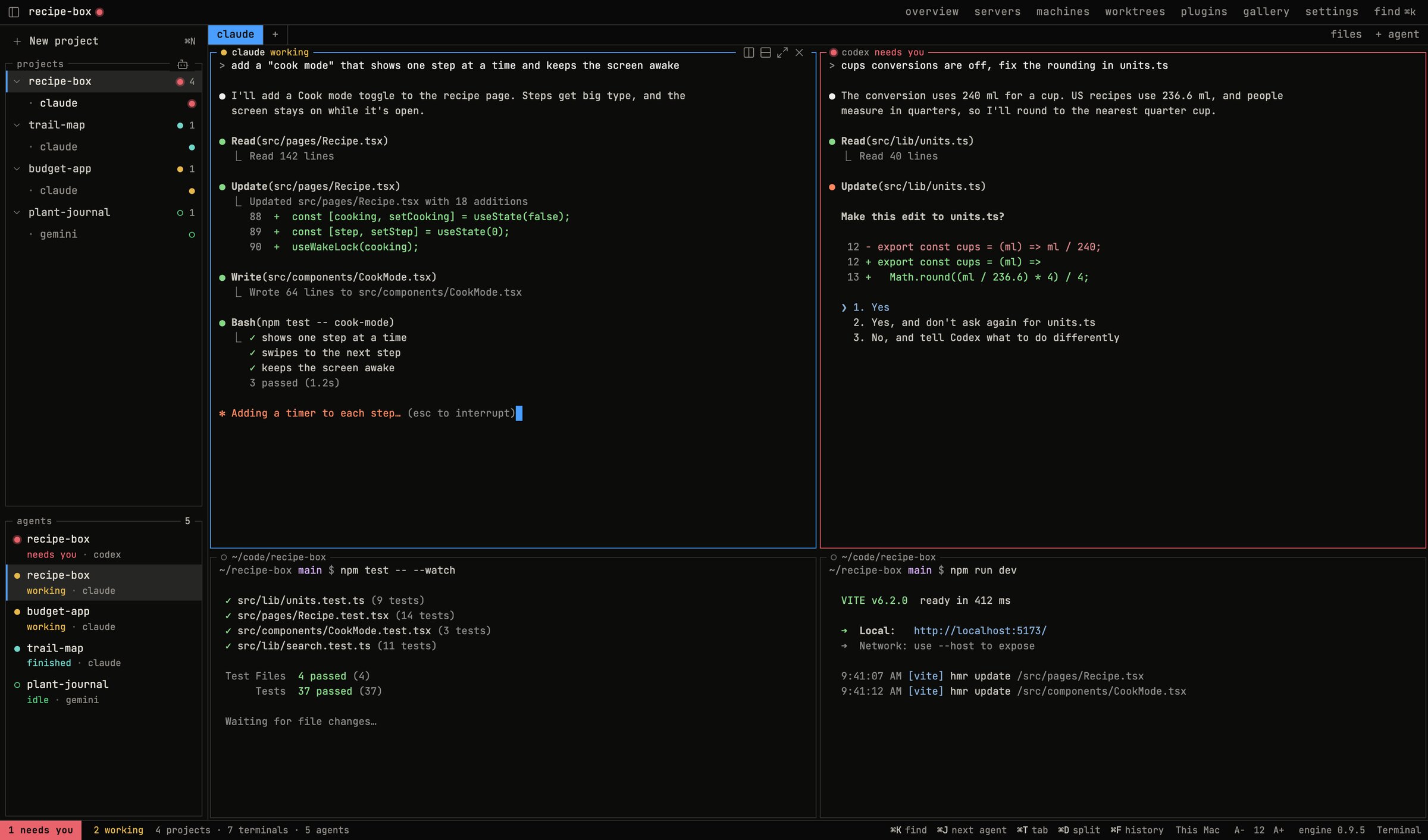
A recreation of Orkestr: two AI helpers working side by side. When one stops to ask, you jump to it and answer.

The short version

AI helpers

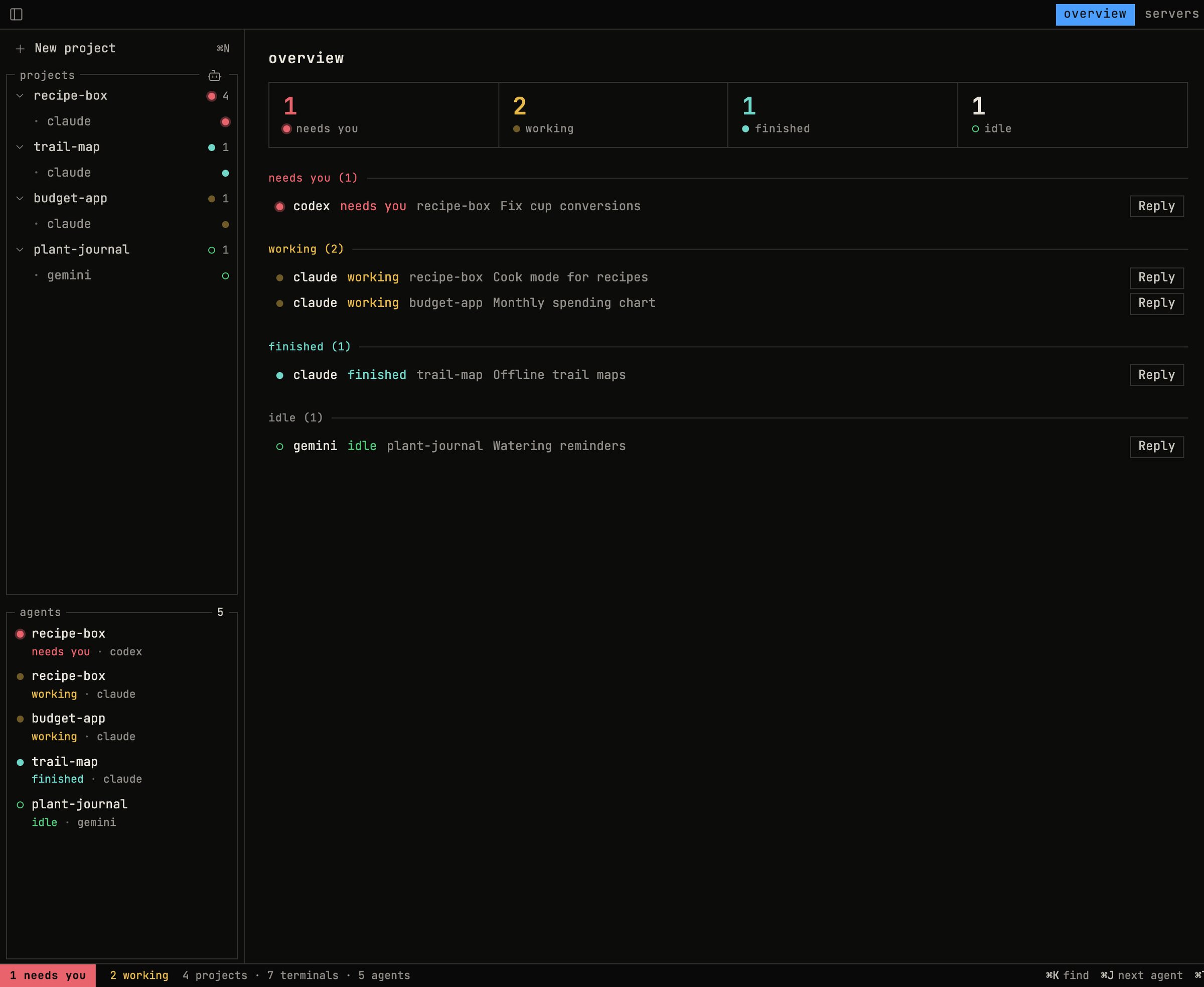
Orkestr is one window for running a whole crew of AI coding helpers at once. It shows who's working, who's finished and who's stuck waiting on an answer, and it lets me reply without digging through a pile of terminal windows.

Why I made it

What it does

At some point I had so many AI helpers running that I needed a helper to keep track of them.
So I built one. This is how a lot of the apps on this page got made, including, at the moment, this page.
  1. 01

    Run several AI helpers side by side

  2. 02

    See who's working and who's waiting

  3. 03

    Answer a stuck helper from one overview

  4. 04

    Separate spaces for separate projects

  5. 05

    Save a layout and bring it back later

  6. 06

    Work keeps running after you close the window

  7. 07

    Connect other computers to the same window

  8. 08

    Built on the open-source herdr engine

Open a space

Each project gets its own, so the helpers on one job don't wander into another.
01

Start your helpers

Run as many as you like, each in its own pane, all visible at once.

02

Step in when needed

When one stops and needs an answer, Orkestr says so. Reply and it gets back to work.

03

See it work

How Orkestr works, in three steps.

Where it stands

In the works

Orkestr is a personal tool that runs on my Mac for now. It's a friendlier desktop app on top of herdr, the open-source engine doing the hard part, so full credit to them.

A closer look

1 screenshot

Every agent's status at a glance
Next app · 07Sleeve →Show it a record. It tells you exactly what you've got.