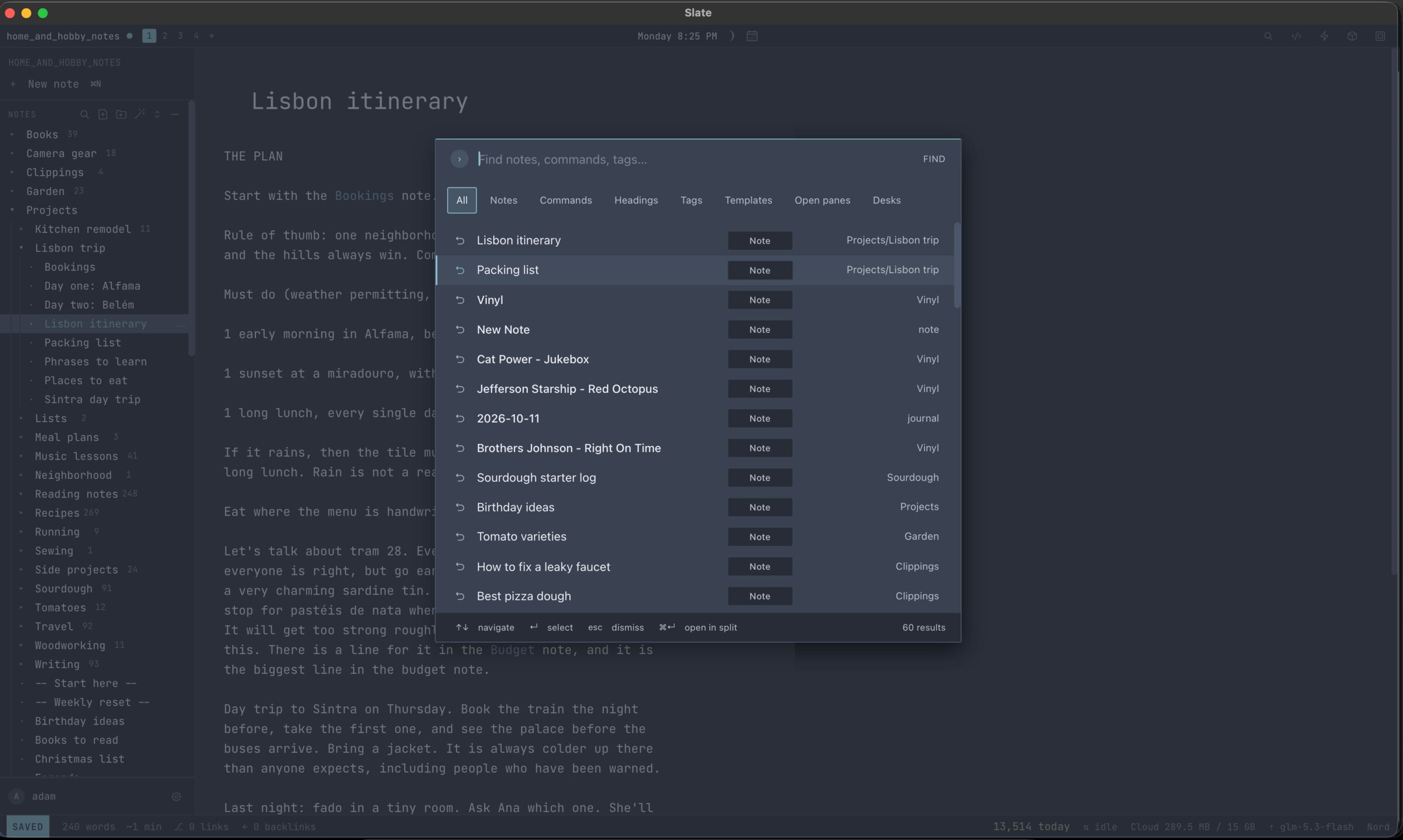
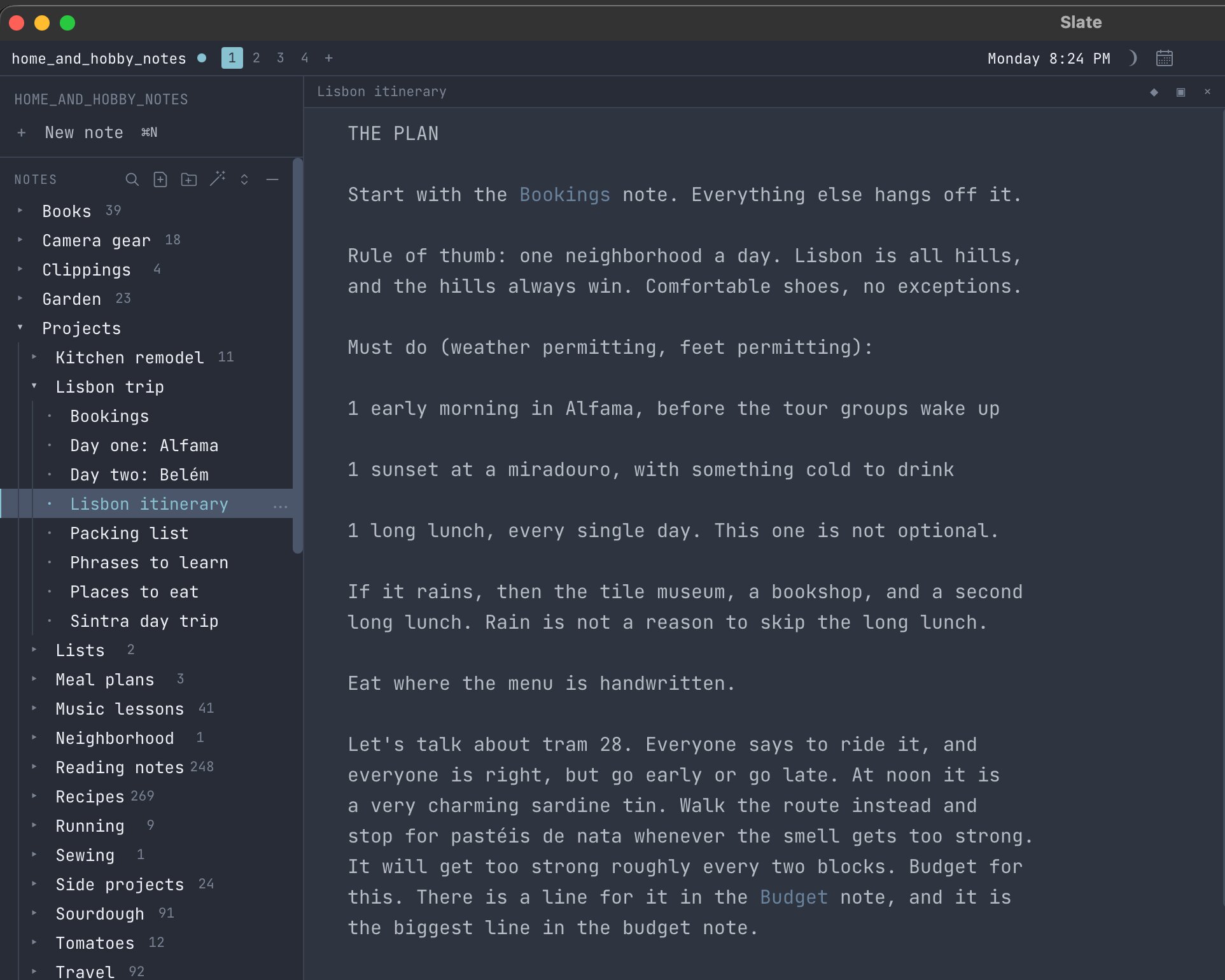
Slate screenshot

Early access

Mac and web

01Notes

Slate

Plain notes that stay yours. Your hands never leave the keyboard.

slatenotes.app

See it work

A recreation, running in your browser

A recreation of Slate, typing to itself. Every key it presses works the same in the real app.

The short version

Notes

Slate is a note-taking app for people who would rather never touch the mouse. Every note is an ordinary text file in a folder you pick, so no company is holding your thoughts, and they'll open in anything, on any computer, for good.

Why I made it

What it does

I wanted notes that would still open in twenty years, no matter which company got bought in the meantime.
I also like keyboard shortcuts more than a well-adjusted person should.
  1. 01

    Plain text files in a folder you choose

  2. 02

    A shortcut for everything, and a menu that teaches them

  3. 03

    Link notes together, and renaming never breaks a link

  4. 04

    A calculator on every line

  5. 05

    Clipboard history from any app on your Mac

  6. 06

    20 themes, previewed as you pick

  7. 07

    Optional sync, encrypted so even the server can't read it

  8. 08

    Bring your own AI, or none at all

Point it at a folder

Empty, or already full of notes. That folder is now your vault, and Slate hides nothing beside your files.
01

Learn four keys, not forty

One finds anything, one runs any command, one searches everything, and the space bar shows you the rest.

02

Just write

Formatting appears as you type. Today's note is one shortcut away, which makes it a very good junk drawer.

03

Visit slatenotes.app

How Slate works, in three steps.

Where it stands

Early access

Slate is in a small beta on Mac and the web, letting people in a few at a time. Request a spot at slatenotes.app and you'll get an email when it opens.

A closer look

1 screenshot

Slate screenshot
Slate screenshot
Next app · 02Surform →Forms that ask one question at a time, like a person would.