Voya screenshot

In the works

Mac

05Meeting notes

Voya

Listens to the meeting so you can actually be in it.

See it work

A recreation, running in your browser

A recreation of Voya recording a meeting: the transcript writes itself, then the summary.

The short version

Meeting notes

Voya sits quietly on your Mac and records your meetings, so you can stop typing and start listening. Afterward you get a full transcript of who said what, plus a written summary of what actually happened.

Why I made it

What it does

I would like to pay attention in meetings and also remember them afterward. Until now, I'd been choosing.
It transcribes on your Mac, then writes up the summary for you.
  1. 01

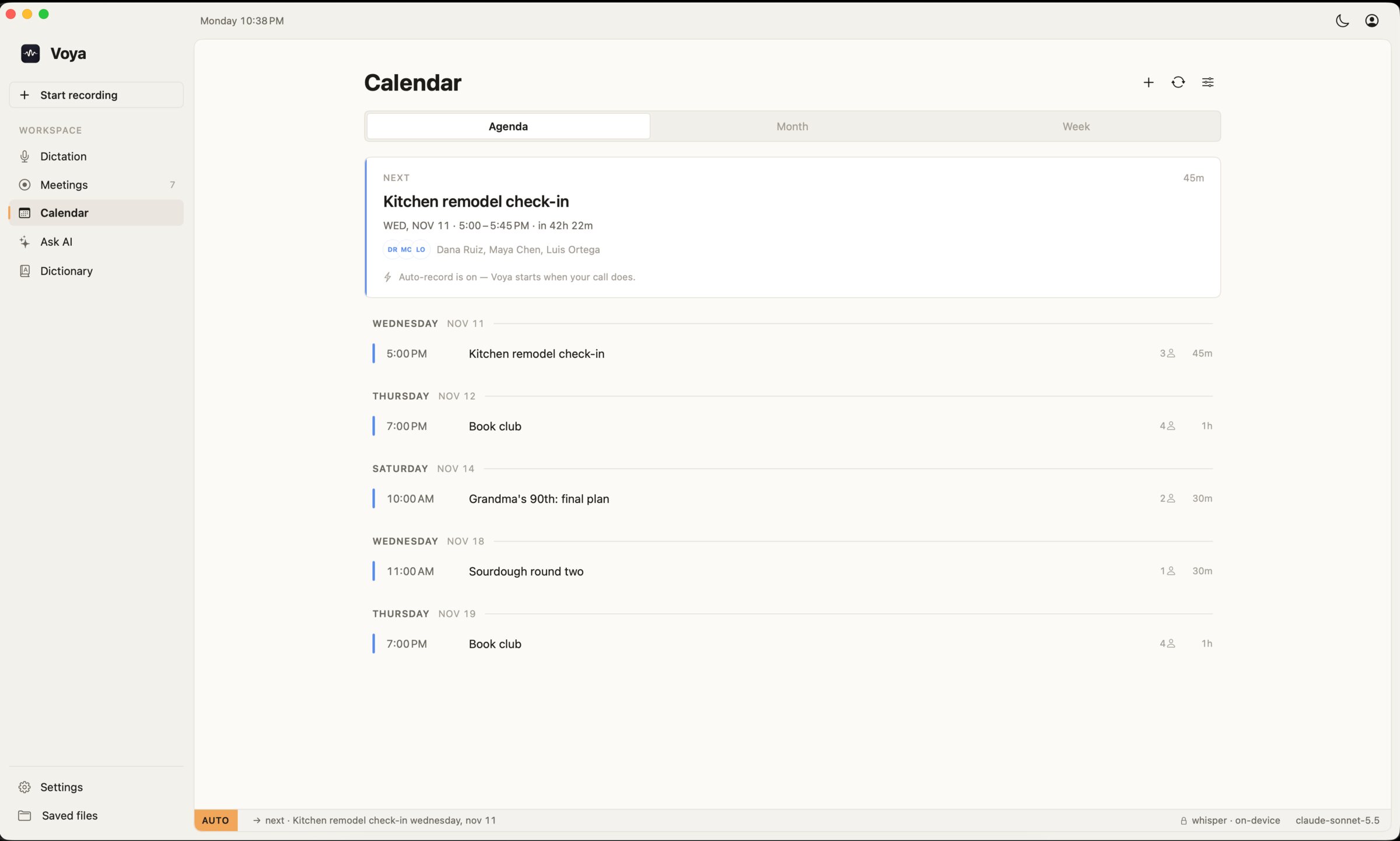
    Can start itself when a Zoom call begins

  2. 02

    A tiny floating recorder stays out of the way

  3. 03

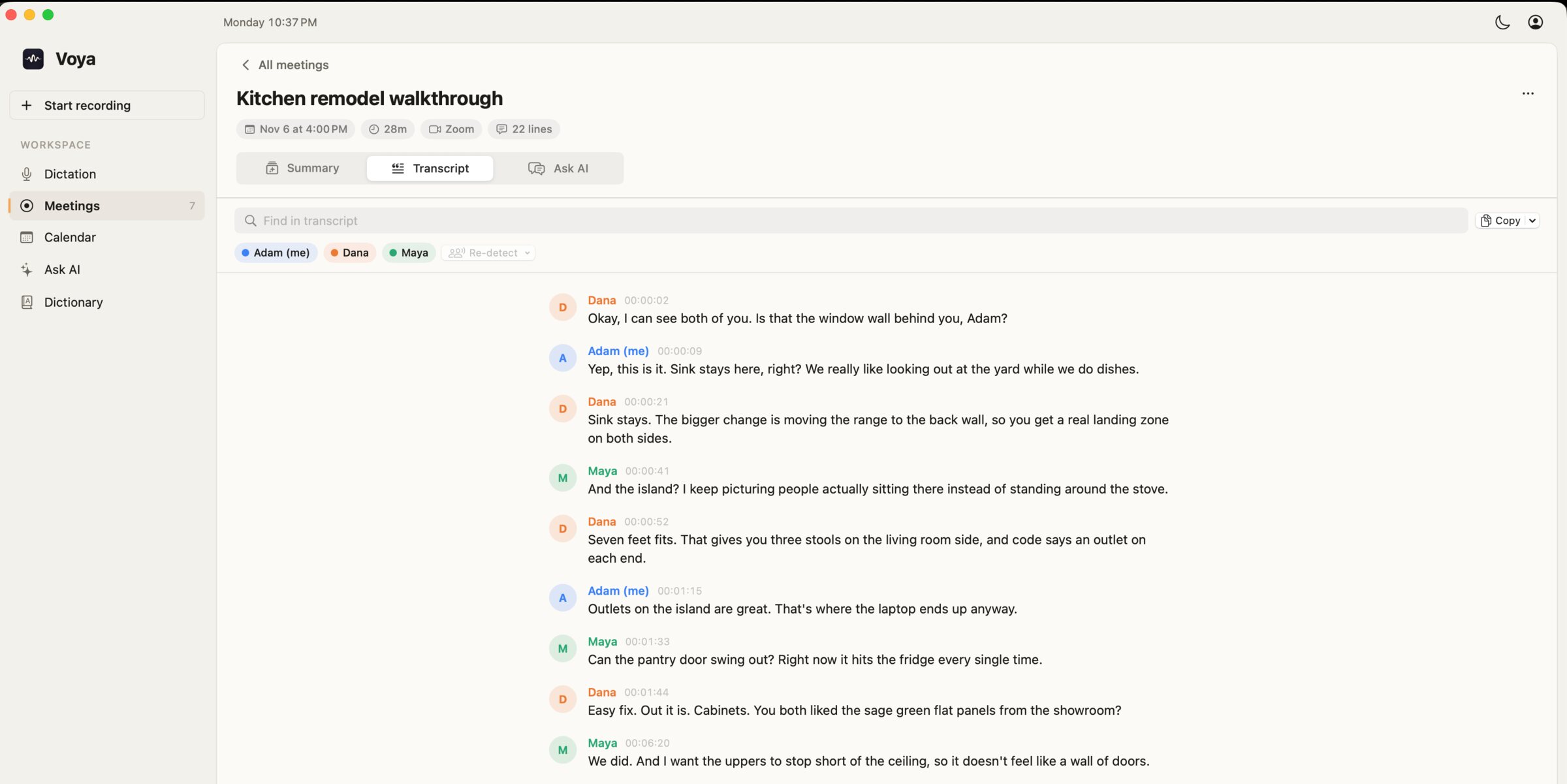
    Separates what you said from what they said

  4. 04

    Transcribes the conversation on your Mac

  5. 05

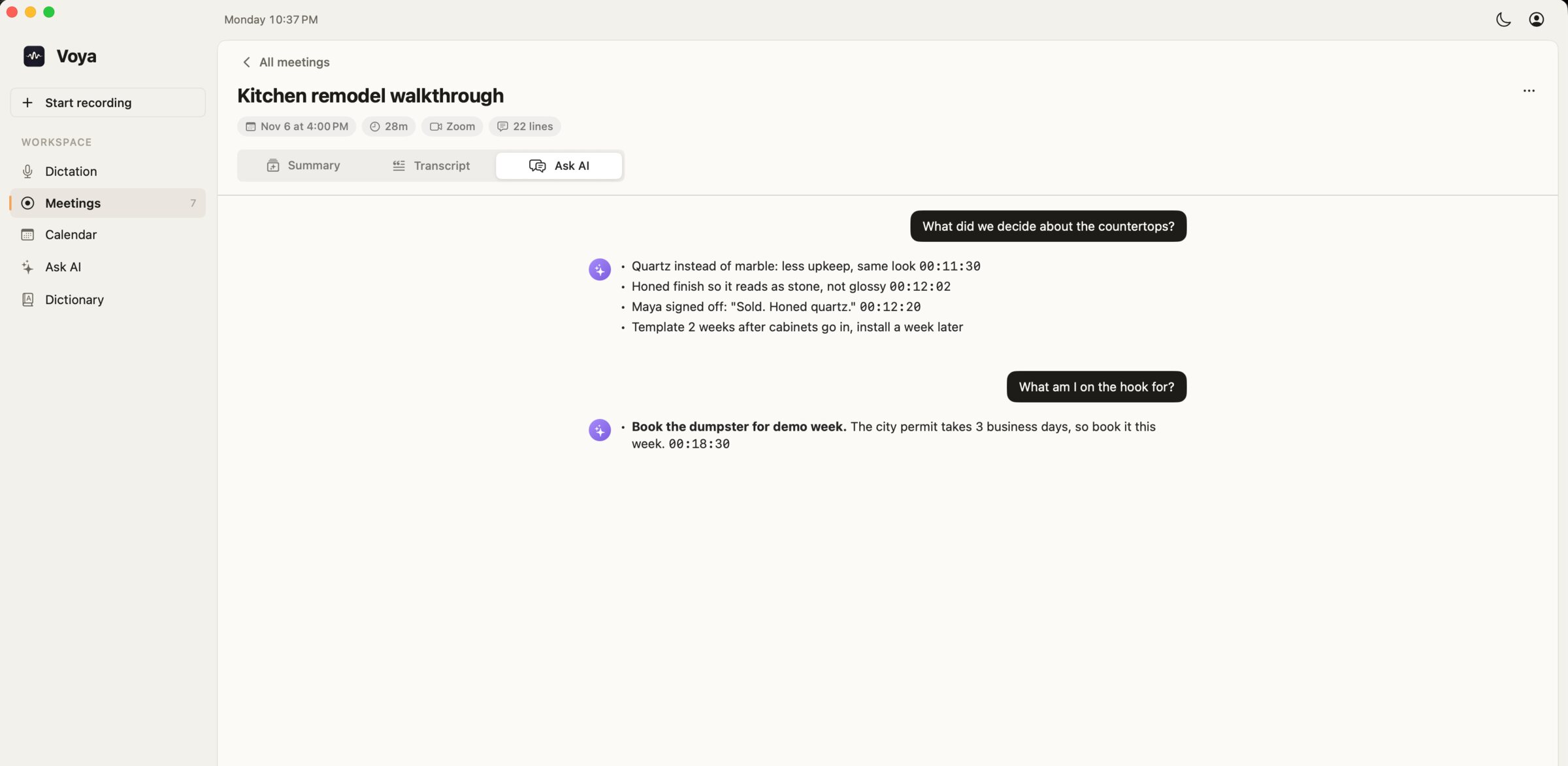
    Writes up a summary when it's over

  6. 06

    Search across every meeting you've ever had

  7. 07

    Keeps everything, in files you can open yourself

Join your call

With auto-record on, Voya starts when Zoom starts using your microphone. Or just press record.
01

Forget about it

It listens to your mic and your computer's sound, then stops shortly after the call ends.

02

Read the notes

The transcript is made on your Mac. The summary is written by an AI online, and both are saved for good.

03

See it work

How Voya works, in three steps.

Where it stands

In the works

Voya is just for me right now, and it's Mac only. It needs some cleaning up before anyone else can install it. And yes, you should always tell people you're recording.

A closer look

3 screenshots

A transcript with each speaker named
Asking questions about a meeting
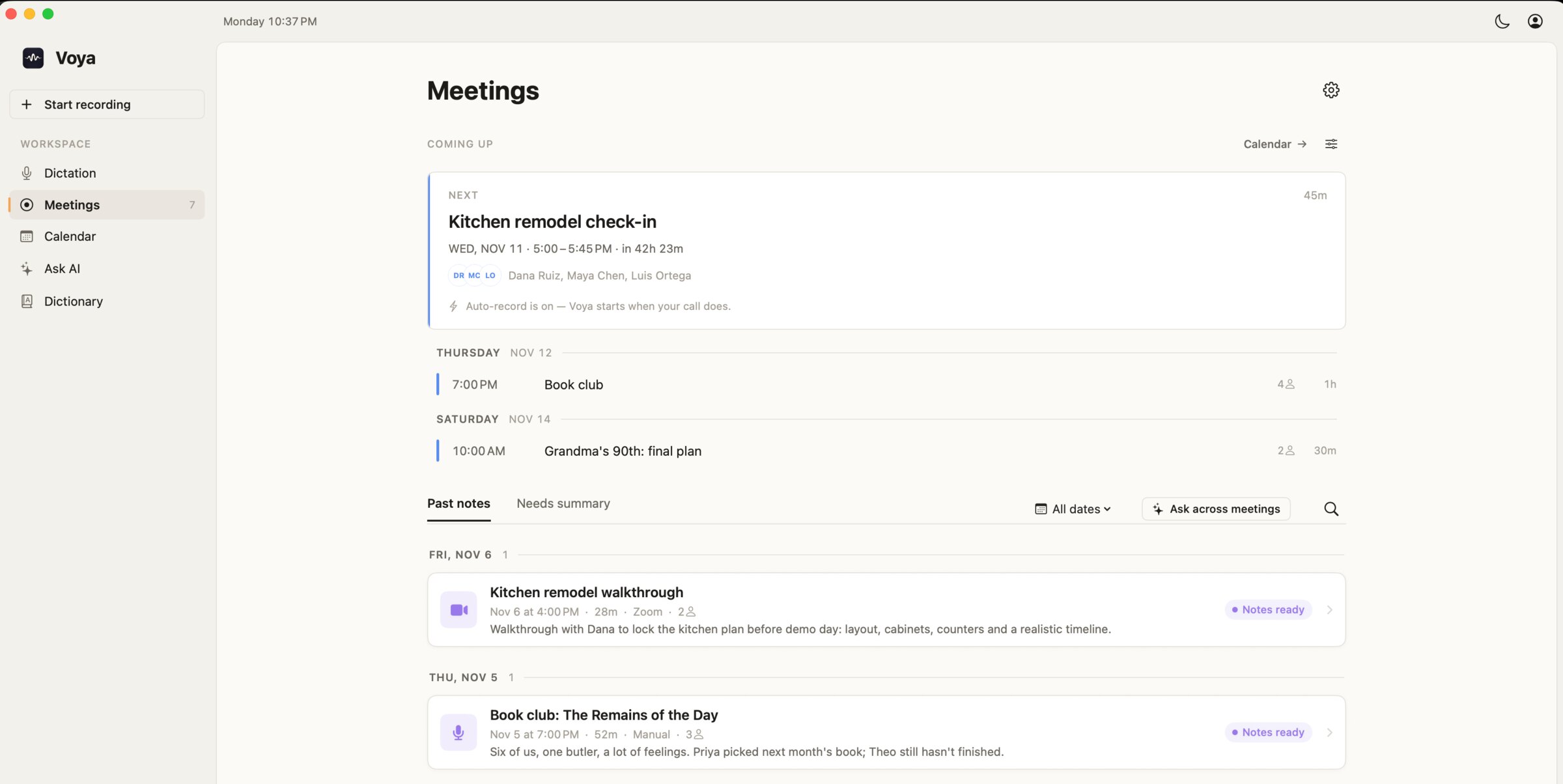
Upcoming meetings from your calendar
Next app · 06Orkestr →Mission control for a crew of AI helpers.